Measuring Circuits: Multimeter Basics and Safety
Your Primary Tool for Debugging Circuits
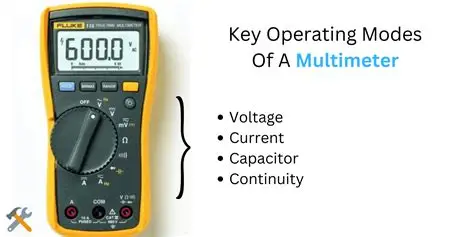
A multimeter is your primary tool for debugging circuits. It measures voltage, current, and resistance, and checks for continuity. Understanding how to use it properly is essential for every electronics engineer!
A multimeter turns invisible electricity into visible numbers!
Without it, you're working blind:
- ❓ Is the battery dead?
- ❓ Is the circuit shorted?
- ❓ Is the resistor correct?
- ❓ Is current flowing?
With a multimeter, you KNOW!
🔧 Key Measurements
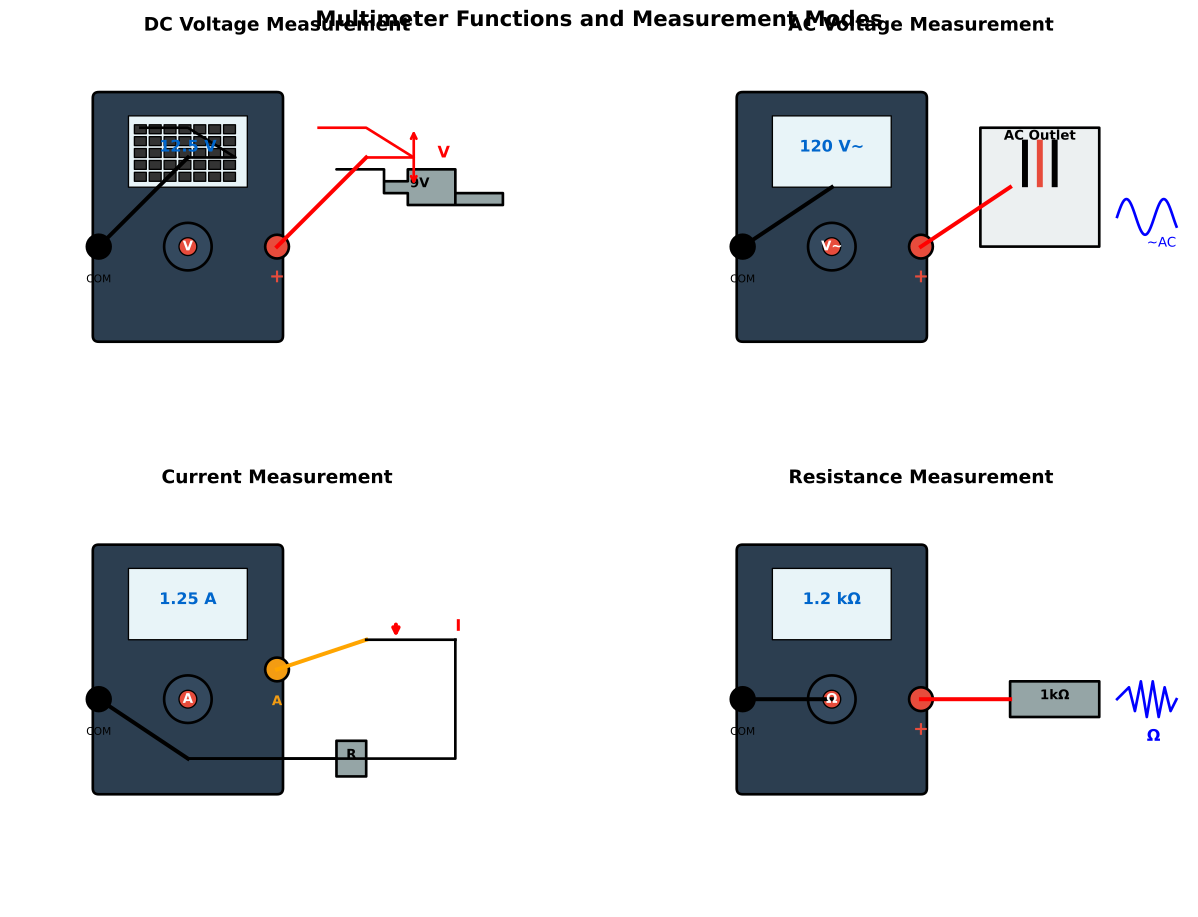
⚡ Measuring Voltage (V)
Voltage measures the electrical pressure between two points.
Setup:
- Set dial to V with DC symbol (⎓)
- Red probe to positive point
- Black probe to negative/ground
- Multimeter connected in PARALLEL across component
Safe and non-destructive - can measure while circuit is powered!
| What to Measure | Expected Value | Troubleshooting |
|---|---|---|
| Battery voltage | 9V, 12V, etc. | < rated = weak battery |
| Power supply rail | 5V, 3.3V | Wrong = supply failure |
| Across resistor | Depends on circuit | 0V = no current |
| LED forward voltage | 1.8V - 3.3V | 0V = LED dead/reversed |
✅ Always safe to measure voltage on live circuits
✅ Start with highest range if manual-ranging
✅ Positive to positive (red probe to higher voltage)
✅ Verify power is ON (for voltage measurement)
🌊 Measuring Current (A or mA)
Current measurement is the MOST DANGEROUS to get wrong!
Setup:
- Set dial to A or mA (start with mA range)
- Remove the multimeter from circuit
- Break the circuit path
- Insert multimeter IN SERIES with circuit
- RED probe to higher voltage side
- BLACK probe to lower voltage side
Can damage meter if range is wrong or connected in parallel!
How to Measure Current Correctly
- Power OFF the circuit
- Break the circuit where you want to measure current
- Set multimeter to current mode (start with mA if current is small)
- Connect in series:
- Red probe to the side closer to positive
- Black probe to the side closer to negative
- Power ON and read the value
- Power OFF and reconnect circuit normally
| Circuit Type | Typical Current | Meter Setting |
|---|---|---|
| LED circuit | 10-20mA | 200mA range |
| Microcontroller | 20-100mA | 200mA range |
| Motor | 100mA - 10A | Start with A range |
| Sensor | 1-50mA | 200mA range |
❌ Connecting in PARALLEL - Will short the circuit and blow fuse!
❌ Wrong range selected - Can damage meter
❌ Forgetting to switch back to voltage mode after measuring current
✅ ALWAYS start with highest current range
✅ Work down to smaller ranges if needed
✅ Never exceed the meter's maximum rated current
🚧 Measuring Resistance (Ω)
MUST turn off power first!
Setup:
- Set dial to Ω (ohms symbol)
- Disconnect component from circuit (or turn off power)
- Touch probes to both ends of resistor
- Red and black probe order doesn't matter
Will give wrong readings if power is on or component is still in circuit!
Resistance Measurement Guide
| Component | Expected Range | Notes |
|---|---|---|
| Resistor | Matches color code | ±5% or ±1% tolerance |
| Wire/trace | < 1Ω | Higher = broken or corroded |
| Open circuit | OL (overload/infinite) | Broken connection |
| Short circuit | 0Ω | Unintended connection |
| Diode (forward) | 500Ω - 800Ω | One direction only |
| Diode (reverse) | OL (infinite) | Should not conduct |
✅ Always power OFF before measuring
✅ Remove component from circuit for accurate reading
✅ Check for shorts by measuring between power and ground (should be high)
✅ Verify color codes on new resistors before installing
🔊 Continuity Test
Tests if two points are electrically connected.
Setup:
- Set dial to continuity symbol (usually looks like )))) or a diode)
- Power OFF the circuit
- Touch probes to two points
- Beeps if connected (< 50Ω typically)
- Stays silent if open circuit
Perfect for finding:
- Broken wires
- Bad solder joints
- Short circuits
- Trace damage on PCBs
| What to Test | Expected Result | Problem if Wrong |
|---|---|---|
| Wire ends | Beep | Wire broken inside |
| PCB traces | Beep | Trace cut or damaged |
| Solder joints | Beep | Cold solder joint |
| Power to ground | Silent | Short circuit present |
| Switch (closed) | Beep | Switch contacts dirty |
| Switch (open) | Silent | Switch stuck closed |
🖼️ Multimeter Diagram
🛡️ Safety Rules - CRITICAL!
Follow these rules to avoid injury and equipment damage:
- Always set the correct range (start high, adjust down)
- Never measure current on high voltage without proper training
- Always disconnect power before measuring resistance
- Keep probes away from live circuits unless measuring voltage
- Use proper safety equipment for circuits over 48V
- Check meter fuse if readings seem wrong
- Never exceed meter ratings (voltage, current, resistance)
- Use CAT-rated meters for mains voltage work
Voltage Safety Levels
| Voltage Level | Safety Category | Precautions |
|---|---|---|
| < 12V DC | Extra Low Voltage (ELV) | Generally safe, minimal shock risk |
| 12-48V DC | Low Voltage | Use caution, can cause shock |
| 48-120V | Dangerous | Requires training and safety equipment |
| > 120V AC/DC | Lethal | Professional training required, use CAT-rated meters |
Mains voltage (110V-240V AC) can KILL!
- ⚡ Only work on if you're trained
- ⚡ Use properly rated meters (CAT III or CAT IV)
- ⚡ One hand in pocket (prevents path across heart)
- ⚡ Wear insulated shoes
- ⚡ Never work alone
- ⚡ Turn off breaker if possible
When in doubt, hire a professional electrician!
🎯 Practical Tips
Probe Connection Guide
Standard connections:
- Red probe = Positive / Measurement point / VΩmA port
- Black probe = Ground / Reference / COM port
For high current (>200mA):
- Move red probe to 10A port
- Remember to move it back!
Auto-ranging meters:
- Automatically select best range
- More convenient for beginners
- May be slower to stabilize
Manual-ranging meters:
- You select the range
- Faster readings
- More forgiving of overload (analog meters)
Common Meter Features
| Feature | Purpose | Usage Tip |
|---|---|---|
| Hold button | Freeze reading | Useful for tight spaces |
| Min/Max | Record extreme values | Find voltage spikes/dips |
| Auto-ranging | Select range automatically | Convenient but slower |
| True RMS | Accurate AC measurement | Essential for AC circuits |
| Backlight | See in dark | Battery drain concern |
| Auto-power-off | Save battery | Turn off if annoying |
📊 Quick Reference: Measurement Summary
| Measurement | Connection | Power State | Probe Polarity | Range Start |
|---|---|---|---|---|
| Voltage | Parallel | ON | Matters | Start high |
| Current | Series | Can be ON | Matters | Start highest |
| Resistance | Across component | OFF | Doesn't matter | Start high |
| Continuity | Touch points | OFF | Doesn't matter | N/A (beeps) |
🔍 Troubleshooting with a Multimeter
Circuit doesn't work:
- ✅ Check battery voltage (should match rating)
- ✅ Check continuity of wires
- ✅ Verify voltage at critical points
- ✅ Measure current (is anything flowing?)
LED doesn't light:
- ✅ Check voltage across LED (should be 1.8-3.3V)
- ✅ Check current (should be 10-20mA)
- ✅ Test LED continuity (one direction low, other high)
- ✅ Verify polarity (cathode to ground)
Resistor gets hot:
- ✅ Measure voltage across it
- ✅ Calculate power (P = V²/R)
- ✅ Check if exceeds power rating
- ✅ Measure resistance (might be wrong value)
Battery drains quickly:
- ✅ Measure current draw with everything off
- ✅ Should be near zero (< 1mA)
- ✅ High current = parasitic drain
- ✅ Check for shorts (resistance power to ground)
🔧 Maintaining Your Multimeter
Keep your meter working reliably:
-
Check battery regularly
- Weak battery = inaccurate readings
- Replace annually or when "low bat" shows
-
Inspect probe leads
- Broken insulation = shock hazard
- Broken wire inside = intermittent readings
- Replace if damaged
-
Check fuses
- Blown fuse = meter won't work in current mode
- Keep spare fuses handy
- If fuses blow often, you're doing something wrong!
-
Calibrate occasionally
- Test with known voltages
- Professional calibration every 1-2 years for precision work
-
Store properly
- Turn off when not in use
- Keep probes from shorting
- Store in protective case
A multimeter is your window into the electrical world!
Voltage (V):
- Measures electrical pressure
- Connected in parallel
- Safe while powered ON
- Red to positive, black to ground
Current (A/mA):
- Measures electron flow
- Connected in series (break the circuit!)
- Most dangerous to get wrong
- Start with highest range
Resistance (Ω):
- Measures opposition to flow
- Power must be OFF
- Remove component for accuracy
- Probe order doesn't matter
Continuity:
- Tests for connection
- Beeps if connected
- Power must be OFF
- Find breaks and shorts
Safety is paramount:
- Always start with highest range
- Never measure current in parallel
- Always power OFF for resistance
- Respect high voltages
- Keep meter maintained
Master your multimeter - it's the most important tool in your electronics toolkit!